Bug reporting
Bug reports you can act on
Give customers one place to report bugs, with screenshots attached. AntNexo groups the repeats, and everyone who hit the bug hears when it's fixed.

The problem
“It doesn't work”
A bug report by email rarely says where, what or how. Without a screenshot you spend the first reply asking for one.
The same bug, again and again
When something breaks, ten customers report it in ten places. Support answers each one, and nobody knows how many people are affected.
Reports disappear
Customers report a bug and never hear back. They don't know if it's known, being fixed or fixed already, so they report it again.
How it works with AntNexo
- 1
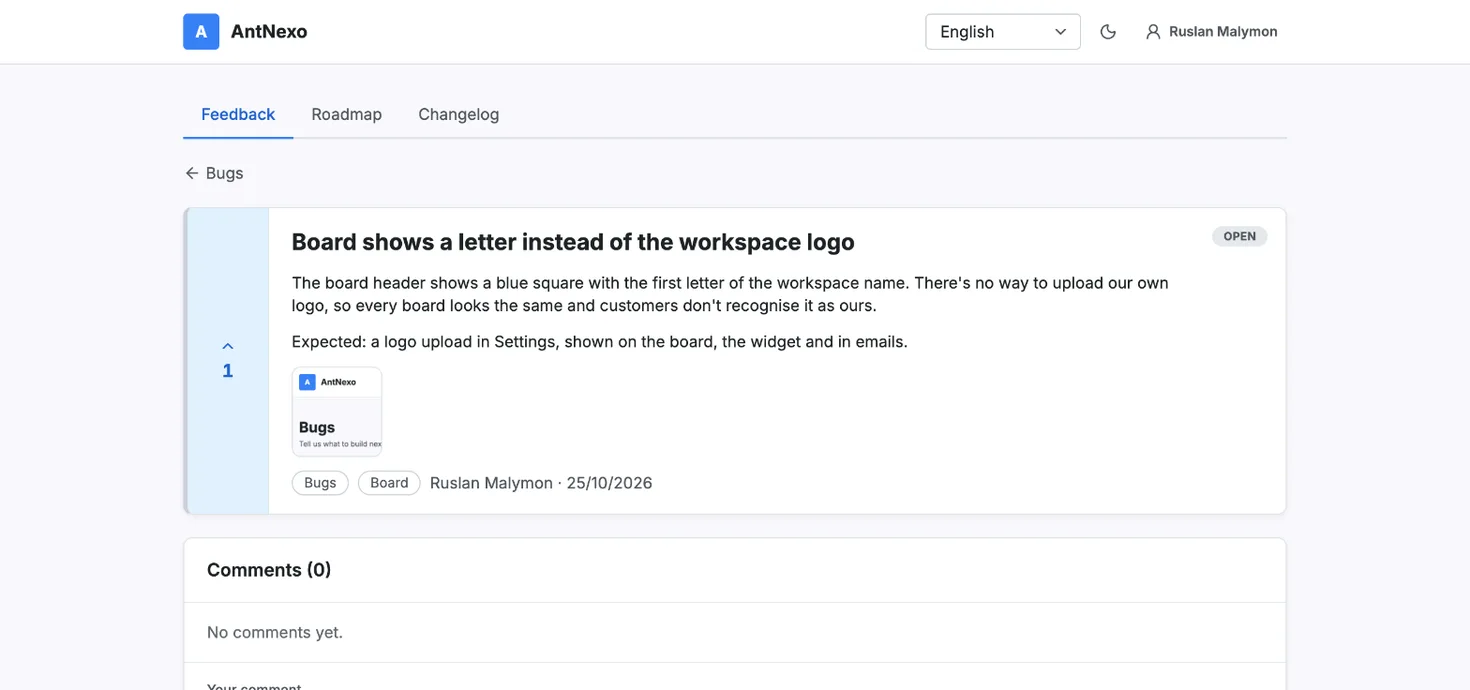
A Bugs board with screenshots
Create a board for bugs next to your ideas board. Customers describe the problem and attach images: a screenshot says more than three paragraphs. Images are checked and their metadata is stripped before anyone sees them.
- 2
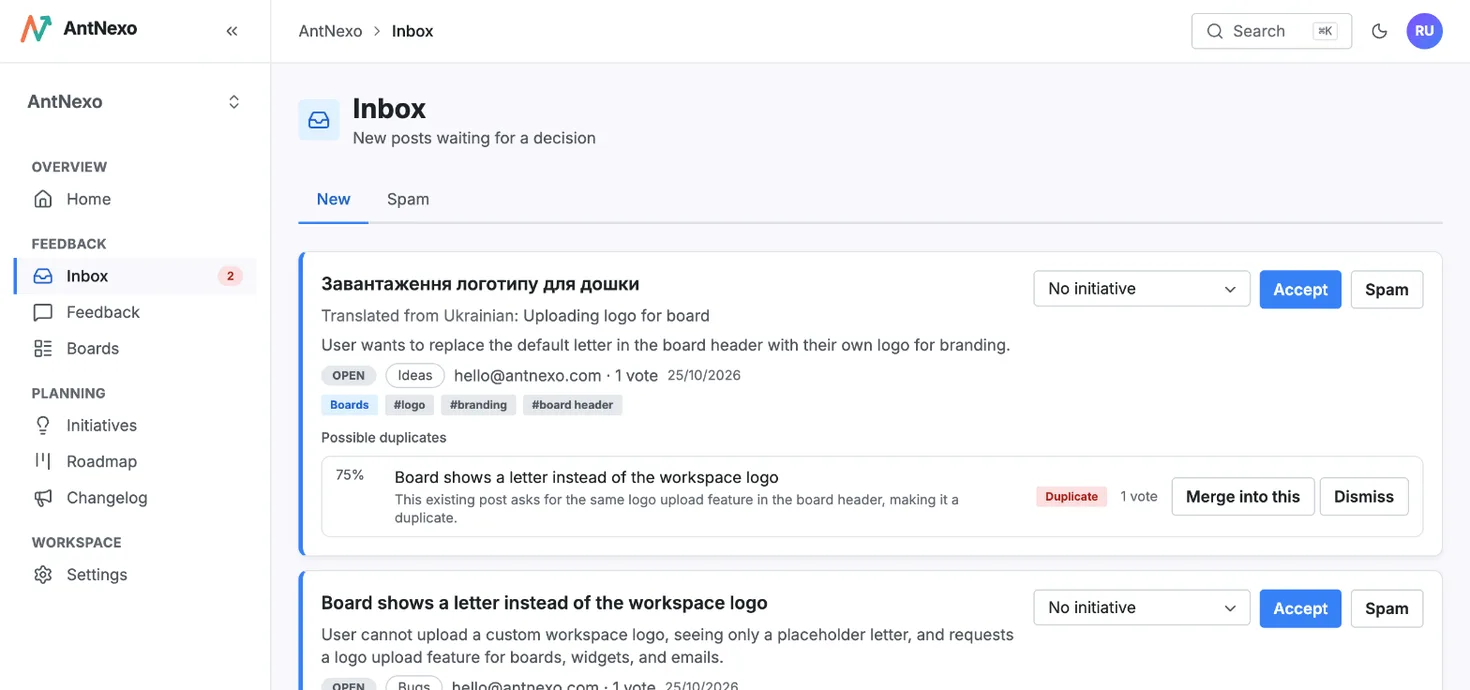
Duplicates and spam sorted first
Every report goes through the AI: likely duplicates are suggested in your inbox, spam is held back, and the report gets a category from your list. Merge a duplicate and its votes and followers move to the original, so you see how many people hit the bug.
- 3
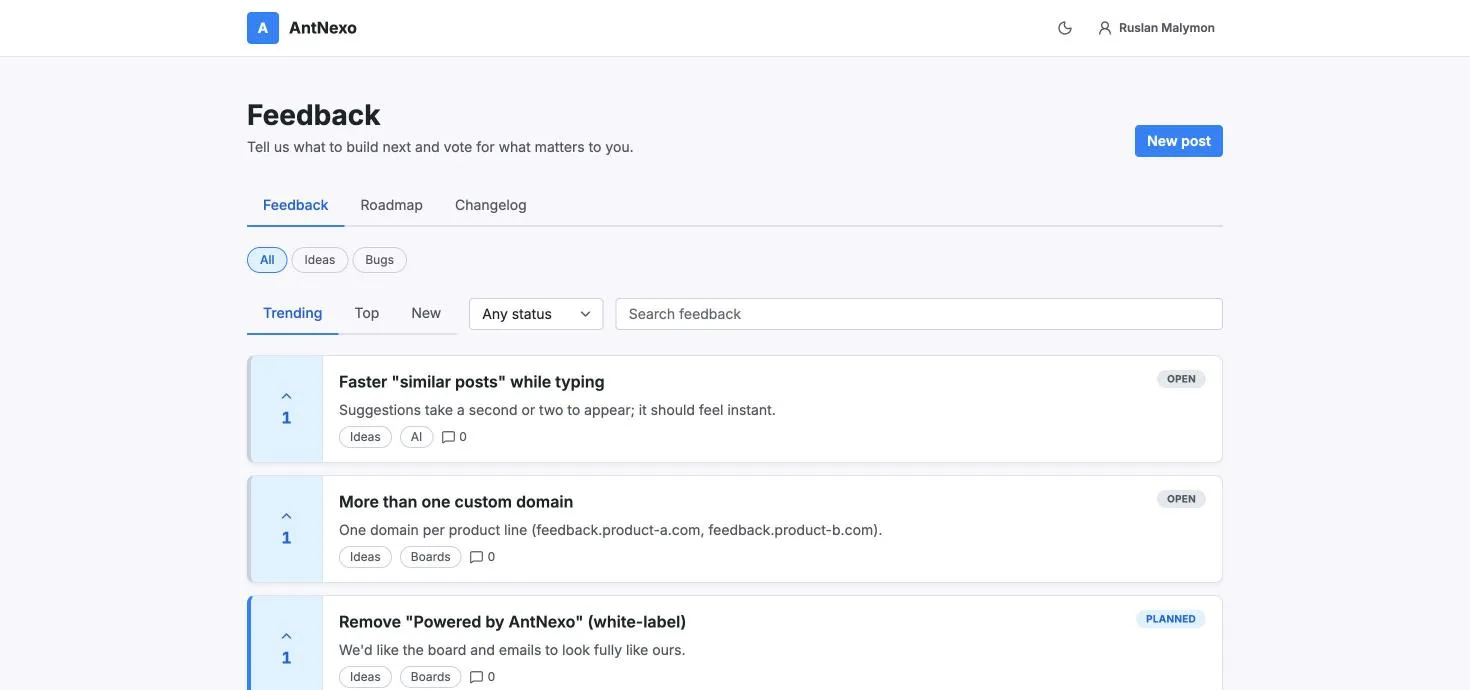
Statuses customers can follow
Move a report from Open to Under review, Planned, In progress and Done. Everyone who reported, voted or followed gets an email when the status changes, so support doesn't have to send updates by hand. Your team can add internal notes that customers never see.
- 4
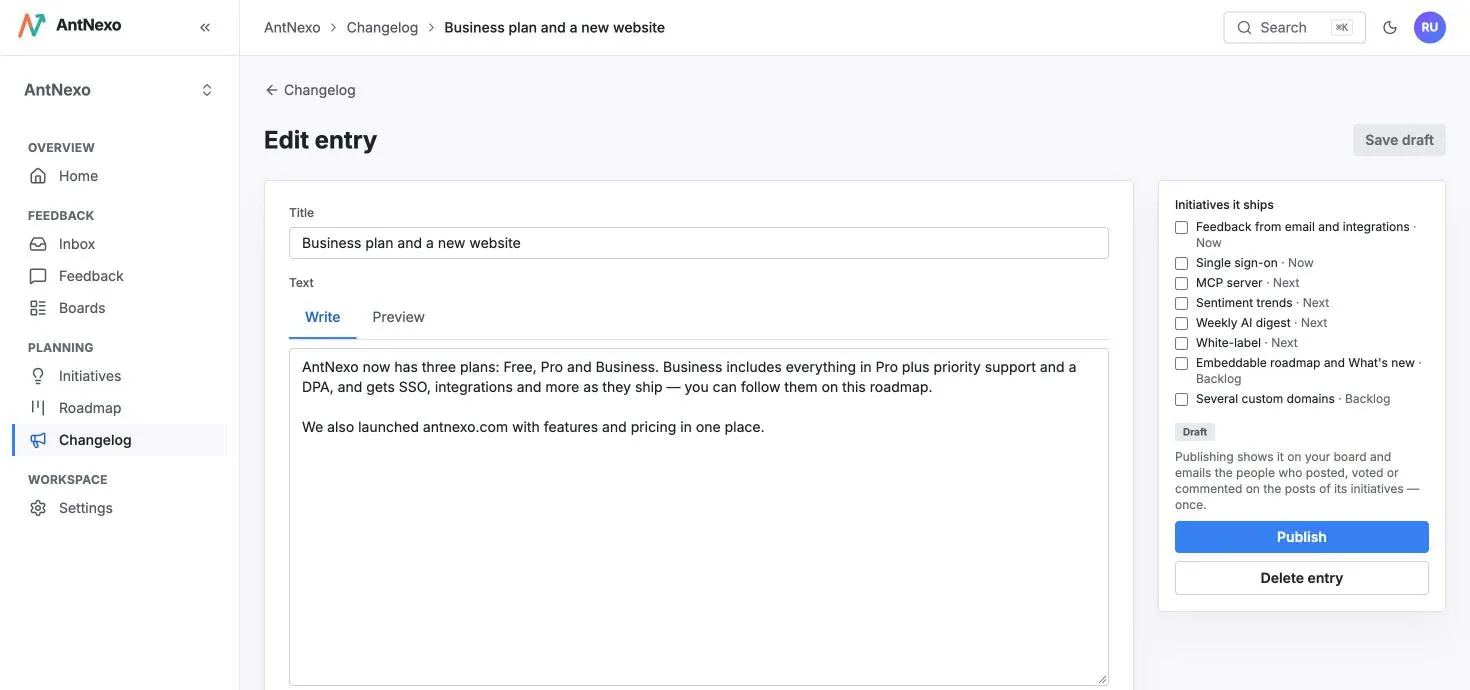
Say it's fixed, once
Add the report to an initiative for the fix. When you move the initiative to Done, its reports are marked Done and their followers are told. Publish a changelog entry for it, and everyone who reported or voted gets an email in their language.


Questions
Is bug reporting on the Free plan?
Yes. Free includes 2 boards, so you can run one for ideas and one for bugs, with images, duplicate detection and 500k AI tokens a month.
Can customers attach screenshots?
Yes. Signed-in customers can attach images to a report or a comment, up to 10 MB each. Metadata such as location is removed from every image.
Do customers need an account to report a bug?
They sign in with an email code, Google or GitHub, which takes a few seconds. If you turn on guest posts, people can also report without signing in; those reports wait for your approval.
Can my team discuss a bug without customers seeing it?
Yes. Comments can be internal notes, visible only to your team, next to the public conversation.
What if a report contains something private?
Edit the report's text from the admin, or move it to a private board that only your team sees. If a customer asks for their data to be removed, erase it from the post with one click.
More use cases
Feature request management
Collect every feature request in one place, merge the duplicates and tell people when their idea ships.
Learn more →In-app feedback
Collect feedback inside your product with one snippet, from users you already know.
Learn more →Multilingual feedback
Customers write in their own language, your team reads everything in yours, and duplicates are matched across languages.
Learn more →Hear every customer, starting today
Create a workspace in a minute, share your board, and let the AI sort the first posts for you.
Free plan, no card needed.