Internal feedback
Your team's ideas, next to your customers'
Sales, support and everyone else hear things customers never post. A private board gives them one place to write it down, vote and discuss, and only your workspace sees it.

The problem
Ideas die in chat
A good idea comes up in Slack, a call or a hallway, gets a few reactions and is gone by next week. Nobody can find it when you plan.
What sales and support hear never arrives
The people who talk to customers every day know what's missing. Without a place to write it down, it stays in their heads and their notes.
Two lists that never meet
Internal ideas live in one document and customer requests in another tool. Nobody sees that the team and the customers are asking for the same thing.
How it works with AntNexo
- 1
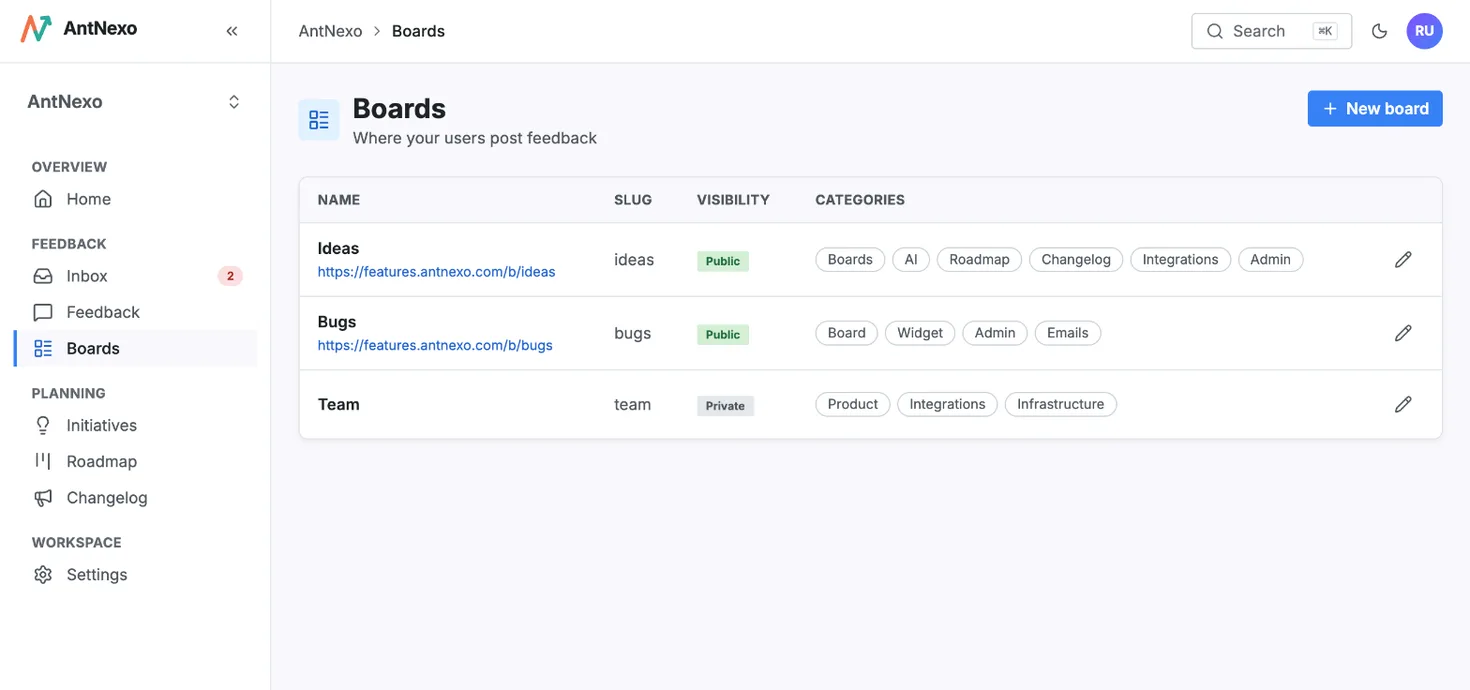
A private board for the team
Create a board and leave it private. It lives in the same workspace as your public boards, but only your team sees it: anyone who opens its address gets “not found”, and its posts never show on the public board or the public roadmap.
- 2
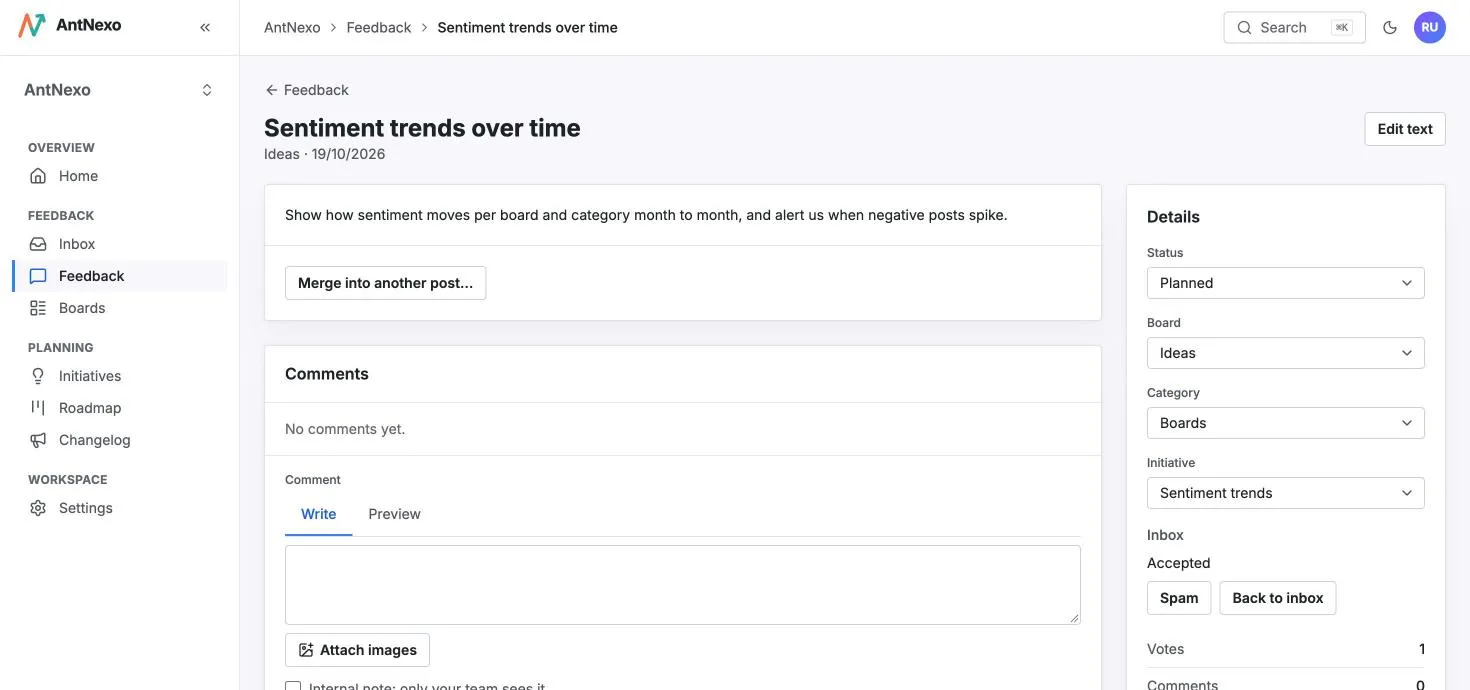
Post, vote and discuss from the admin
Anyone on the team clicks New post on the Feedback page, picks the private board and writes the idea. Their vote is included, colleagues vote on the post page, and the discussion happens in comments, internal notes included.
- 3
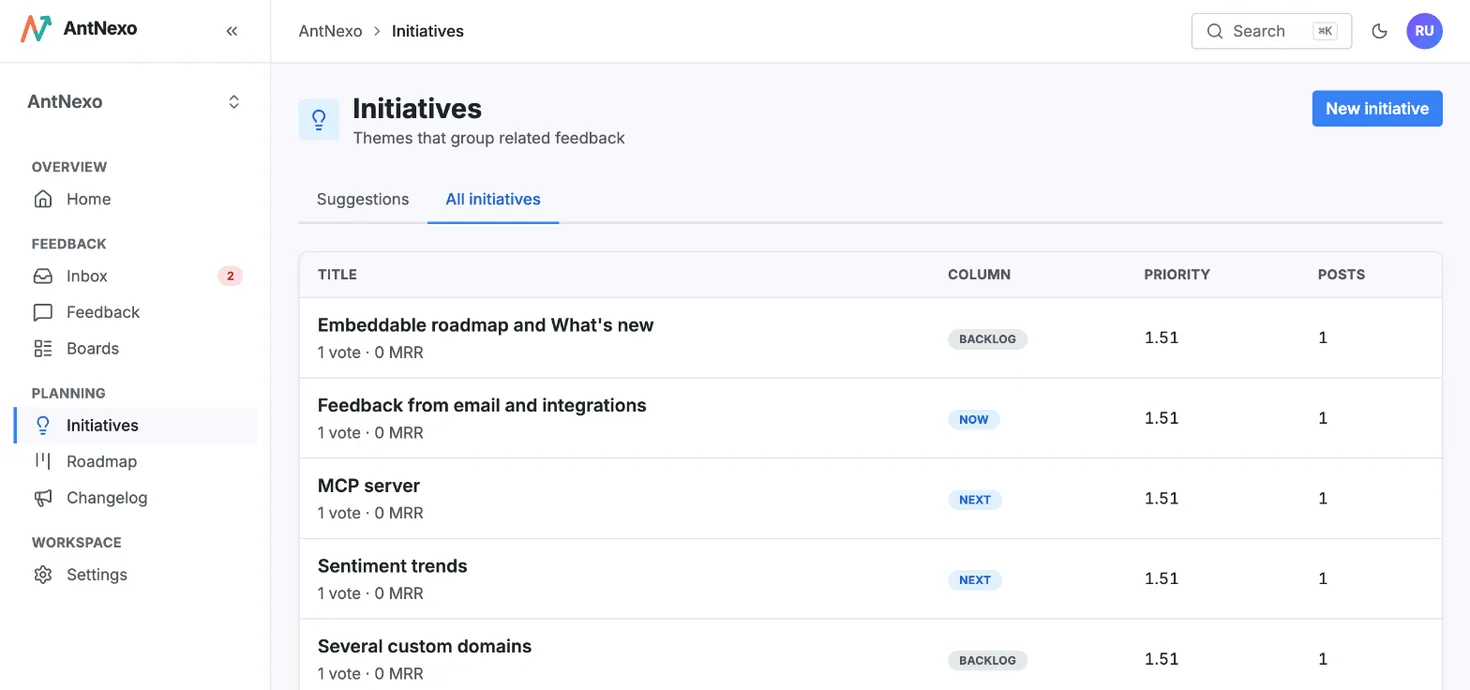
Next to customer demand
The AI translates each post into your workspace's language and gives it a category from the board's list when it has none, as it does for customers. Add internal posts to the same initiatives as customer requests, so one initiative shows everyone who asked.
- 4
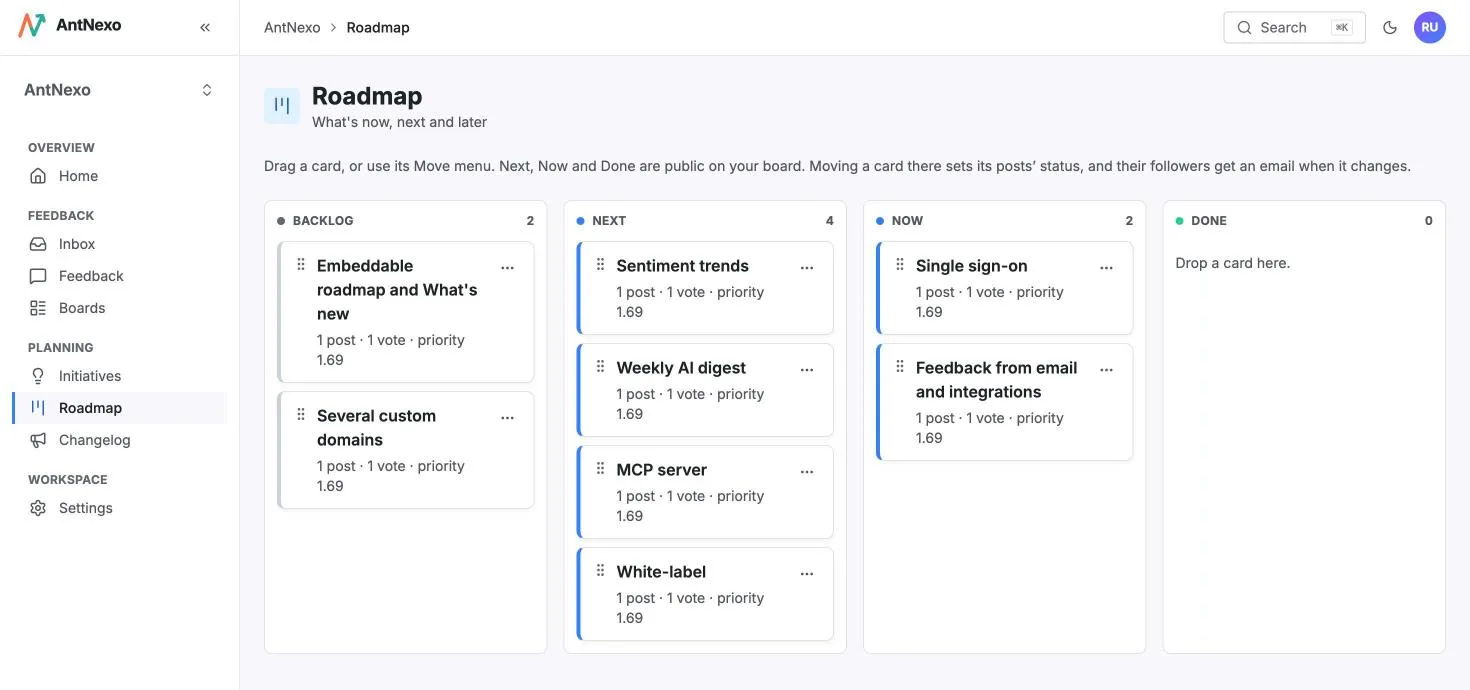
Plan it and close the loop
Keep an initiative in the backlog while it's internal: the public roadmap shows only Next, Now and Done. Once you move it there, customers see its title and summary, and its counts include only the posts and votes they can see.


Questions
Is internal feedback on the Free plan?
Yes, within the Free plan's limits: 2 boards in total (for example one public board for customers and one private board for the team) and 2 seats, counting members and pending invitations. Pro has unlimited boards and seats.
Who can see a private board?
Only the members of your workspace, in the admin. Visitors who open its address get “not found”, and its posts aren't shown on the public board, in the widget or on the public roadmap.
Can customers post on a private board?
No. Only your team posts there, from the admin. Customers post on your public boards; a request that should stay private can be moved to a private board.
Do my team's votes count with customers' votes?
The team votes only on posts on private boards; votes on public boards are your customers'. If you move a team post to a public board, its votes and its author go with it.
Can I move a post between boards?
Yes, either way, from the board on the post's page. Moving a post to a private board takes it off the public board; moving a team post to a public board shows it, its author and its votes to customers.
More use cases
Feature request management
Collect every feature request in one place, merge the duplicates and tell people when their idea ships.
Learn more →Bug reporting
Let customers report bugs with screenshots, catch the duplicates and tell everyone when it's fixed.
Learn more →Public roadmap
Show customers what's coming next, built from the requests they posted, and keep it up to date without extra work.
Learn more →Hear every customer, starting today
Create a workspace in a minute, share your board, and let the AI sort the first posts for you.
Free plan, no card needed.