In-app feedback
Feedback from inside your product
The AntNexo widget puts your feedback board one click away in your app. Users post and vote where they work, and you know who they are.

The problem
Feedback comes too late
The moment a user hits a problem is inside your product. By the time they find your support email, the details are gone.
Another account to create
Sending users to a separate site with its own sign-up loses most of them on the way. Only the most motivated ever post.
You don't know who asked
A request from a big customer and one from a trial user look the same. Without knowing who posted, you can't weigh them.
How it works with AntNexo
- 1
One snippet
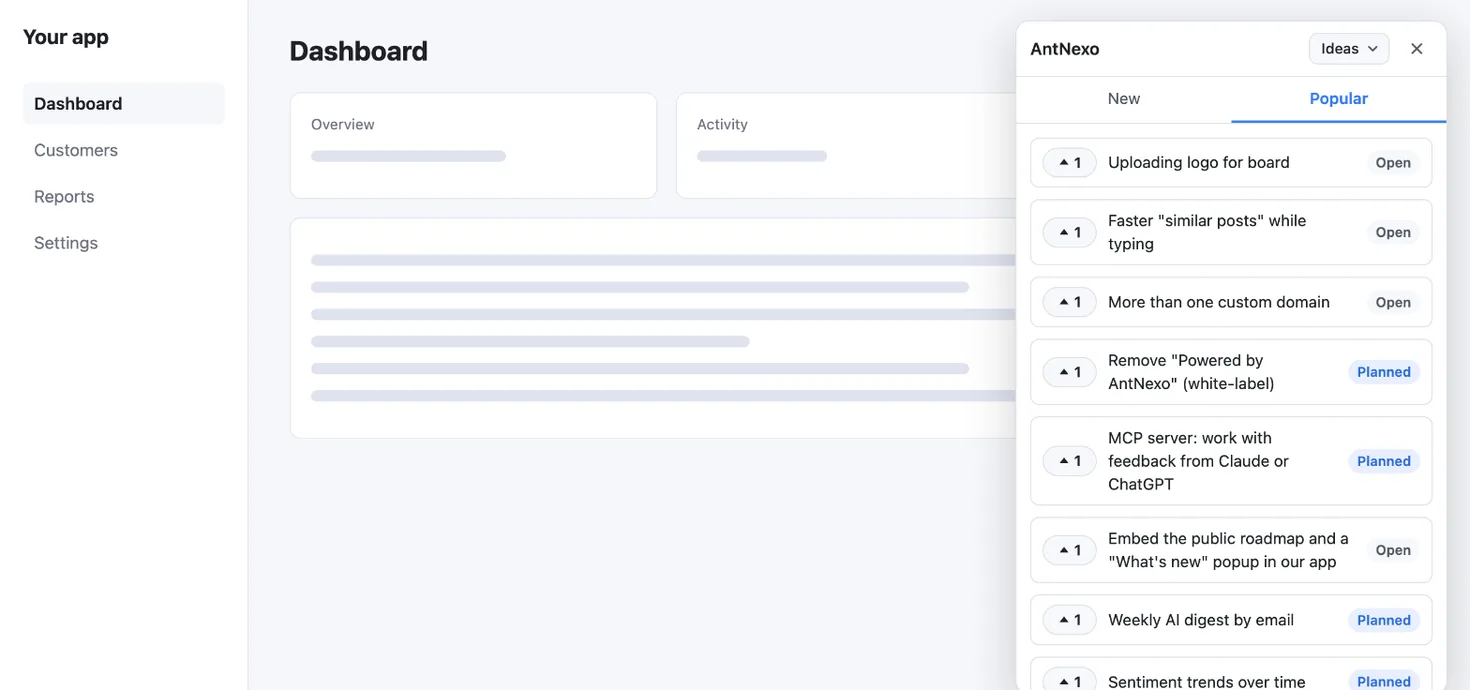
Copy the snippet (two short script tags) from your workspace settings into your app. A Feedback button appears; it opens your board in a panel with New and Popular tabs, so users can vote on what's there before posting something new.
- 2
Users you already know
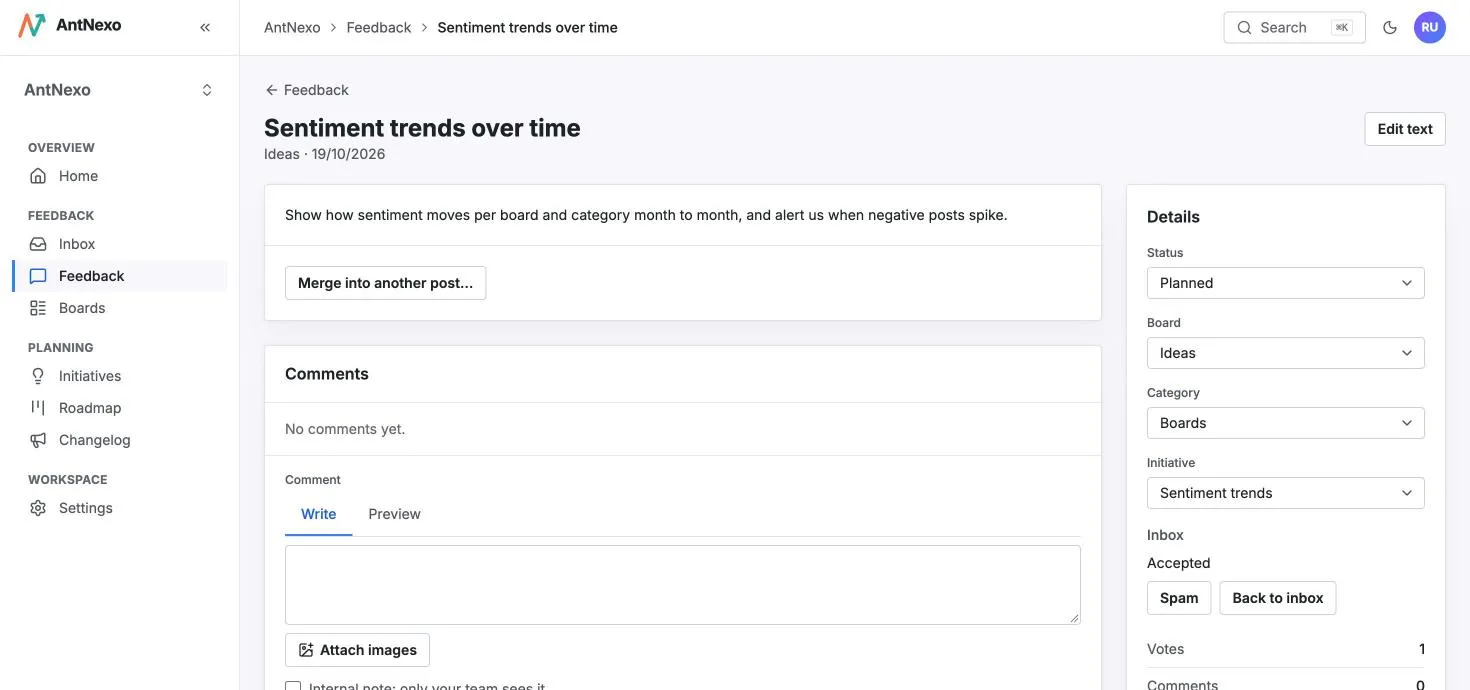
Pass a signed token from your backend and the widget signs your user in. Their posts and votes carry their name, company and, if you send it, their monthly revenue, so you see who asked.
- 3
The same board, everywhere
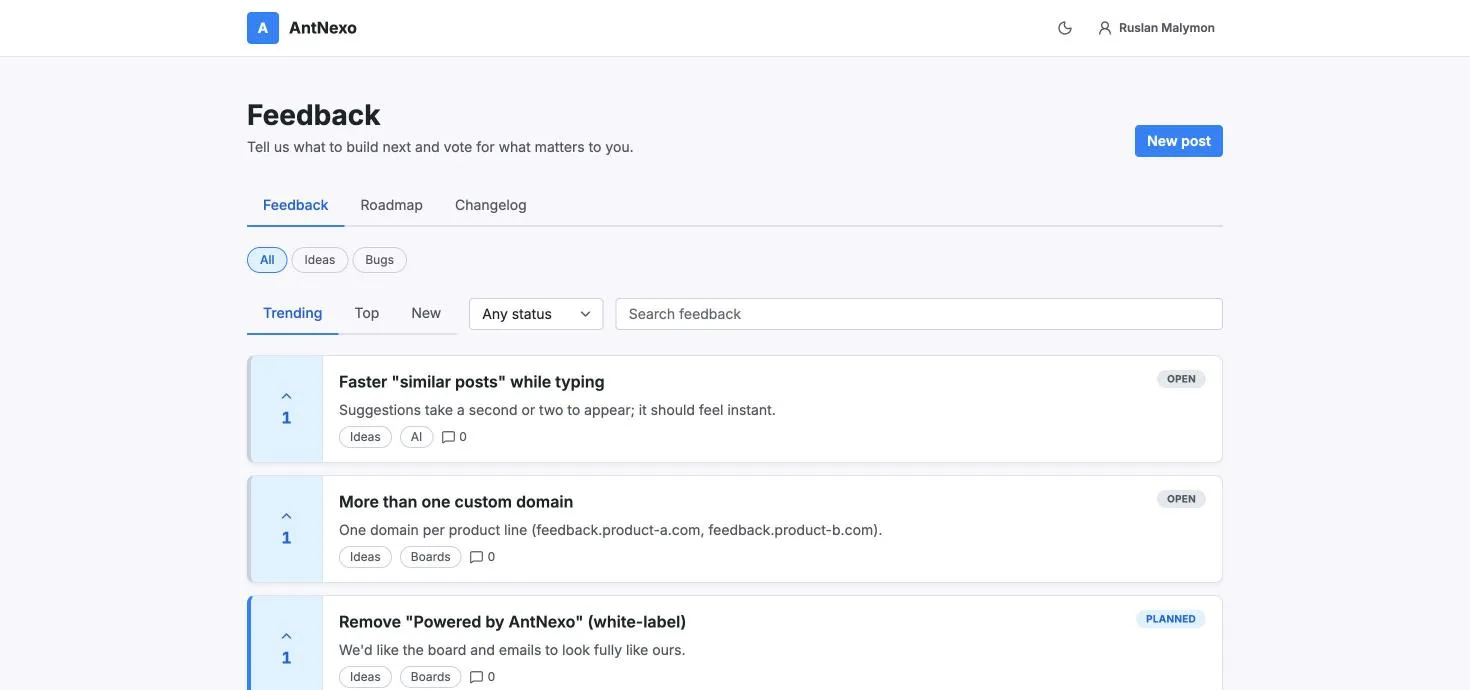
Posts from the widget land on your public board, next to everything else. The AI merges duplicates and translates them like any other post, and their statuses show up in the widget too.
- 4
Weigh requests by who asked
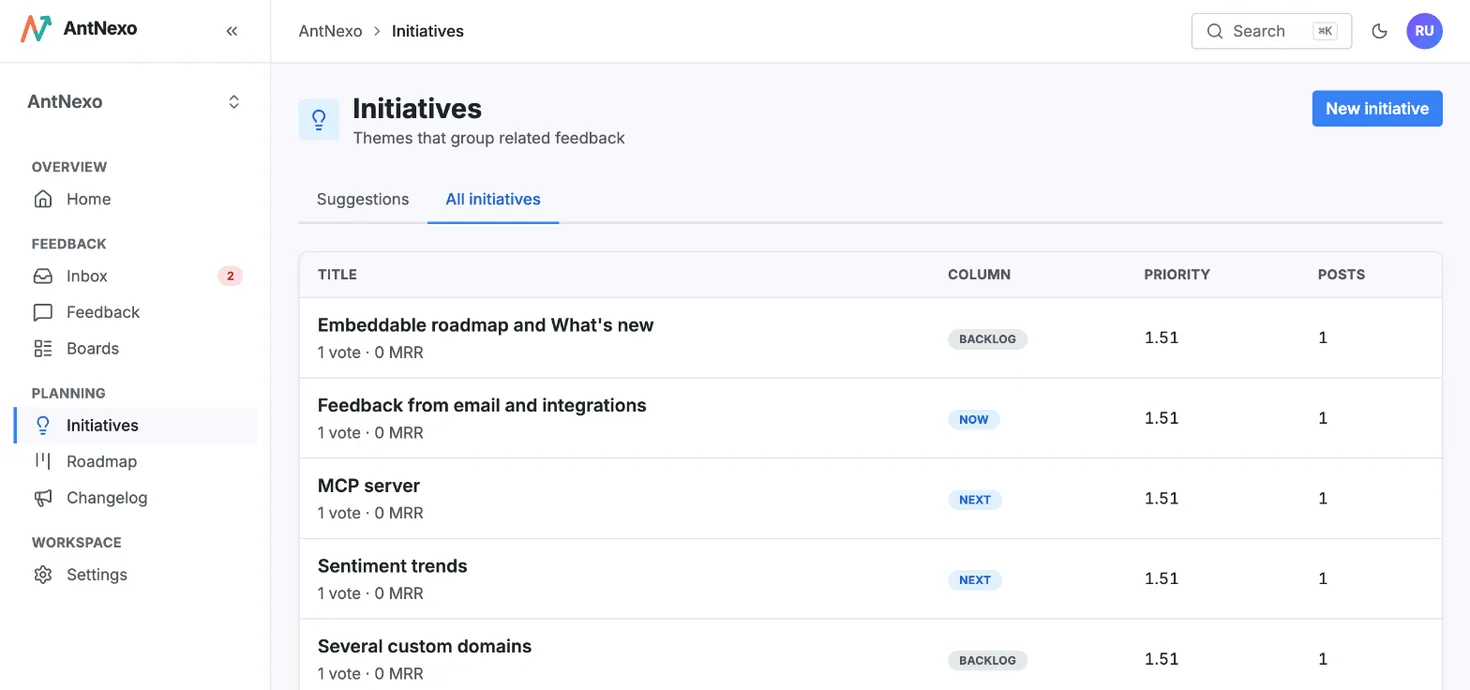
Initiatives add up votes and revenue from the posts behind them. Rank them by real demand and move them onto the roadmap your users can see.


Questions
Is the widget on the Free plan?
Yes. The widget and signing users in with a token are on every plan, including Free.
How do I add it?
Paste the snippet from your workspace settings into your app's HTML: two short script tags. No build step and no npm package are needed.
How does sign-in from my app work?
Your backend signs a short-lived token with your workspace's secret (an HS256 JWT with the user's id, email and an expiry at most 24 hours ahead; name, company and revenue are optional) and the widget passes it on. Users never see a sign-in form.
What if I don't sign users in?
Then the widget asks for an email code, Google or GitHub when someone posts or votes, the same as the board.
Will it slow my app down?
No. The script loads asynchronously and stays under 30 KB gzipped; the panel opens only when someone clicks Feedback.
More use cases
Feature request management
Collect every feature request in one place, merge the duplicates and tell people when their idea ships.
Learn more →Bug reporting
Let customers report bugs with screenshots, catch the duplicates and tell everyone when it's fixed.
Learn more →Public roadmap
Show customers what's coming next, built from the requests they posted, and keep it up to date without extra work.
Learn more →Hear every customer, starting today
Create a workspace in a minute, share your board, and let the AI sort the first posts for you.
Free plan, no card needed.